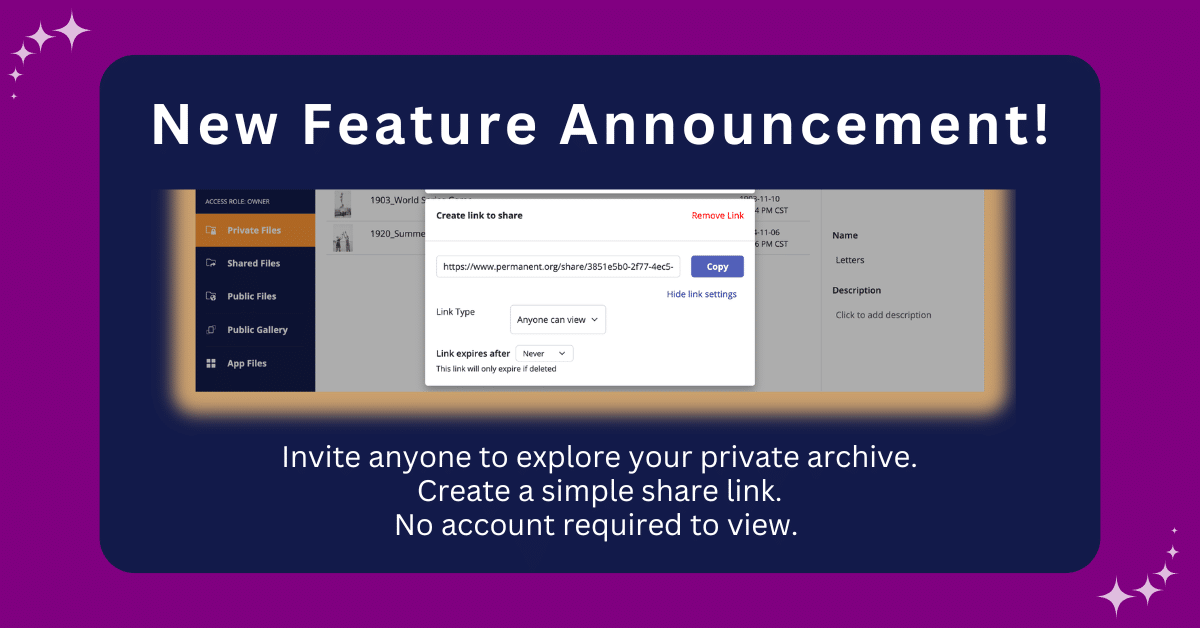
If you’ve ever tried to share something from your Permanent.org archive with a family member, you’ve probably run into the same wall: they need an account, they need to connect with you, and suddenly a simple moment turns into a multi-step process. That’s not how sharing should work, so we fixed it. Unlisted Share Links are now live, and all it takes is a couple of clicks.
The Most-Requested Feature Is Finally Here
Nearly every conversation we have with members eventually comes back to the same thing: I want to share this with my family, but I don’t want to make them sign up for something.
That’s a fair ask since you’re building something meaningful here. Your family and friends should be able to see it without jumping through hoops.
Public Gallery pages have always offered a way to share work that’s ready for anyone to find. But a lot of members wanted something in between: not visible to the public, but easy to access for the specific people they care about. That gap is exactly what we’ve been working on for the past year, so anyone can view your archive with just a share link.
So, How Does It Actually Work?
It works the way you’d expect. You create a share link, you send it, and whoever gets it can view what you shared.
They don’t need a Permanent account. If they already have one, they don’t need to do anything special either. The link is view-only, so nothing in your archive gets changed or moved. And the share doesn’t show up in any public search. The only way someone can see it is if you give them the link directly. You stay in control the whole time.
You can share a single file or an entire folder. So whether you want to send one photo to a sibling or give your whole family a window into the archive you’ve been building, you can do that now.
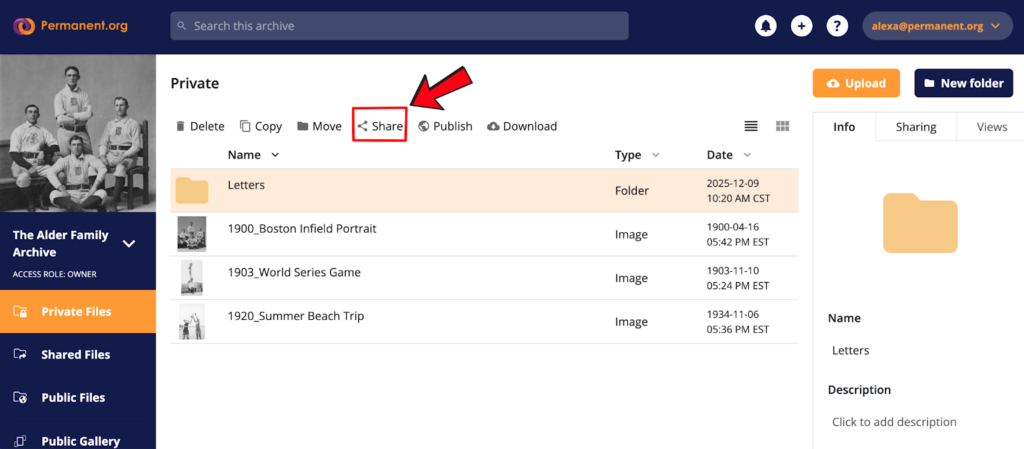
Once you’ve selected what you want to share, click the Share button. From there, you’ll see the option to create your link.
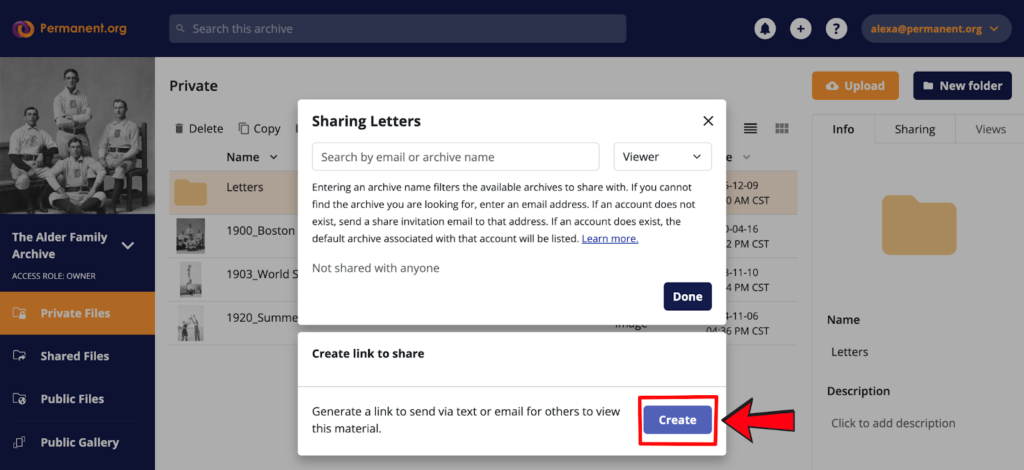
Here’s what it looks like when you create a share link on Permanent. By default, the link is set to Anyone can view, which means anyone who receives it can open it right away. The expiration is set to Never expires, so your link keeps working until you decide to turn it off.
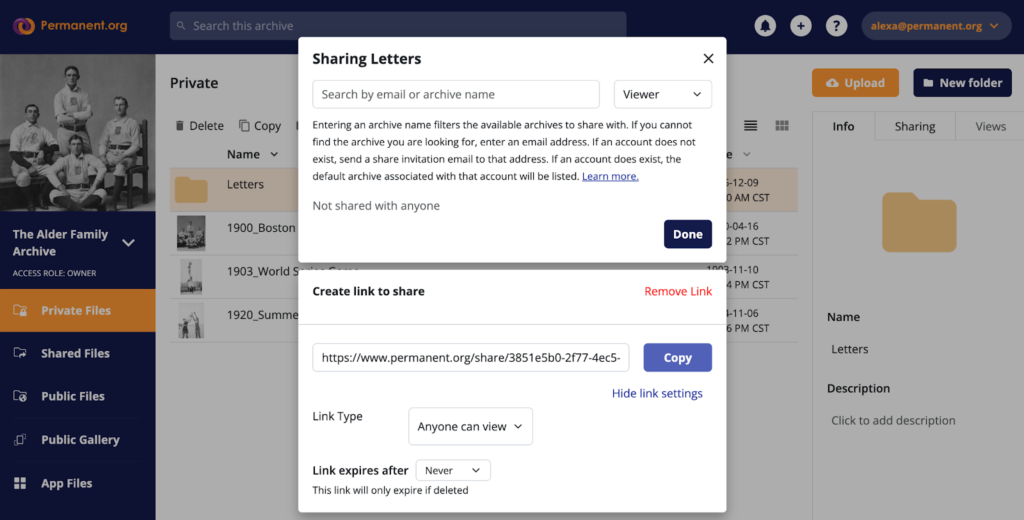
You can also turn it off whenever you want by removing the share link. Nothing about your archive structure changes when you share, and it doesn’t affect your storage either. It really is just a link.
Your Archive Was Always Meant to be Shared
Permanent has been around since 2015, and for most of that time, we’ve been focused on building a preservation platform good enough to trust with your most important memories and records. A place where things last. But preservation is only meaningful if the things you preserve can actually reach the people you want to share them with.
Unlisted Share Links are a big step in that direction. And we’re just getting started.